00Why I did this
The site worked, but it looked cheap
I built my GENTERRA website together with Claude. It is fast, responsive and everything clicks. But at some point I looked at it through a client’s eyes and saw that many blocks looked like a template: identical cards, small text, nothing for the eye to hold on to.
Claude writes great code, but a working page is not the same as a well-designed one. So I installed skills that give the model a designer’s and a motion designer’s method, and tested them on one real block: “Nine workshops — one pipeline” from my Content Factory page.
Skills don’t make design beautiful automatically. They give the model a method. The goal, the taste and the brand are mine.
01What a skill is and how to install one
Not a magic button, but a specialist’s playbook
A skill is a folder with a SKILL.md file: rules, techniques and sometimes helper scripts. When a task matches the skill’s topic, Claude opens the instructions and works by them — like a designer relying on their own playbook.
How I installed them:
- Claude Code: copy the skill folder into
~/.claude/skills/(for all projects) or into.claude/skills/inside a project. After a restart Claude picks it up on its own. - Claude app (Cowork): upload the skill or plugin archive in settings. That’s how I added GSAP and Three.js.
Most skills are community repositories. A skill can run scripts on your computer, so open the file first and check what it actually does. I do this with every one.
02Step 1
Design DNA
Turn references into rules, not “make it look like that”
The weakest prompt in AI design is “make it more premium” or “make it like this site”. The model has to guess what exactly I like. Design DNA breaks a reference down into a system: colours, typefaces, spacing, shapes, effects.
I gave it seven of my references — dark technical diagrams. The most valuable part: it doesn’t guess colours by eye, it measures them pixel by pixel with a script. Here is what came out:
backgroundsurfacestextaccent
The rules I took from the references:
- a near-black background fills 60–86% of the frame;
- each bright colour takes up no more than 2% of the frame — only in lines, dots and glows, never as fills;
- one diagram is the hero, text is about 1%;
- labels are small and plain, no big decorative numerals.
The test ring variant matched the references’ background almost perfectly: a colour difference of 1.45, invisible to the eye.
“Make it premium” and guessing by eye
Design DNA: pixel-level colour measurement of 7 references
4 clear rules: background, accent ≤ 2%, one diagram, small labels
Keep. Turns “I like it” into rules
Analyse these references and extract their Design DNA: colours (measure by pixels), typefaces, spacing, shapes, effects.
Don't copy. Give me 4–5 rules I can apply to my block with the GENTERRA brand colours.
Repository: github.com/zanwei/design-dna
03Step 2
Impeccable
Don’t animate a weak design. Fix the structure first
Impeccable is a skill for critiquing and polishing interfaces. I asked it to review the old block: a grid of nine tiles. It ran two independent checks — a design review and an automated detector — and returned a report.
Its main finding was flagged as serious (P1): the form doesn’t match the content. The content is a cycle where analytics feeds back into research. But the snake-shaped grid ends on the last tile and never returns. It also found:
- nine identical tiles with no main element;
- zig-zag numbering that makes the eye jump;
- 10–12 px text that is barely readable;
- gradient numerals the detector flagged as a template pattern.
In other words, the skill independently reached the same idea I did: the cycle can be shown as a ring.
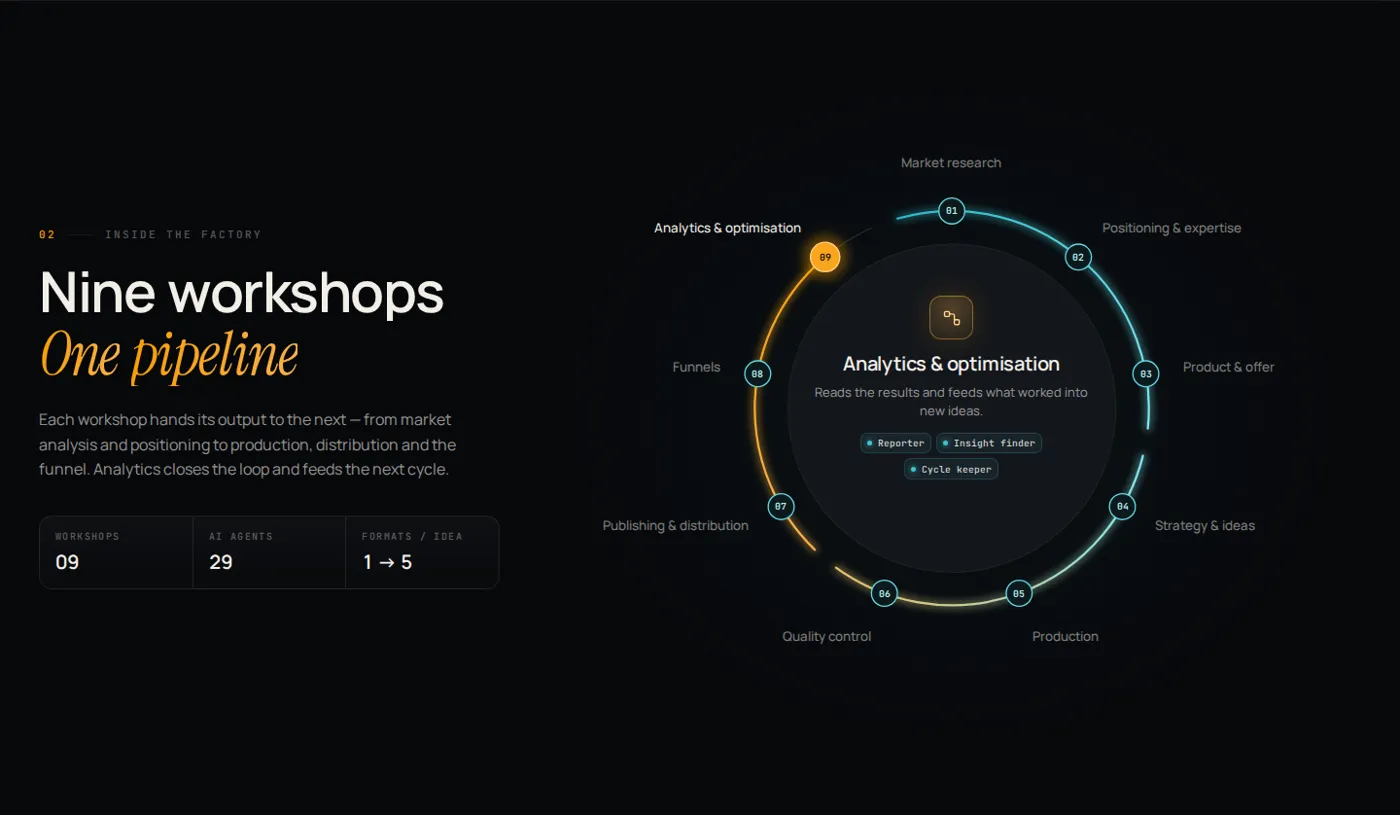
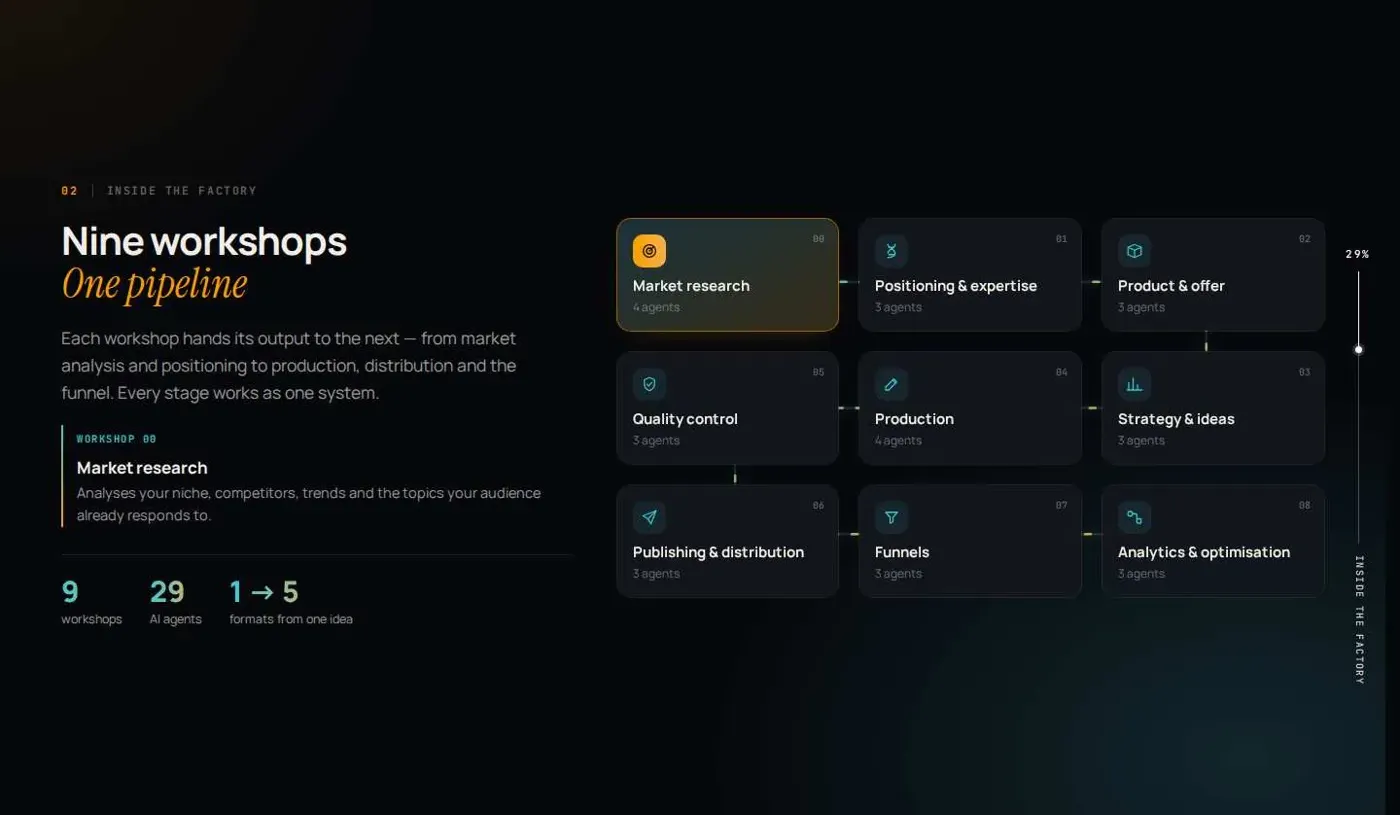
A grid of 9 identical tiles
Impeccable: critique + automated detector
A ring with one main element
Keep. Found the core problem before any animation
Review this block as an art director. Don't add animation yet.
Check hierarchy, typography, spacing, composition, unnecessary frames, repetition and the focal point.
Does the form match the content? Structural changes first, styling details second.
Repository: github.com/pbakaus/impeccable
04Step 3
Three.js
3D only when it adds meaning
Not every website needs Three.js skills. I tested them on a separate concept — a 3D drinks can for my portfolio: metal, light, rotation on scroll. There, space is the idea, so 3D is justified.
For the workshops diagram I didn’t use Three.js. The ring, lines and glow are plain vector graphics (SVG) — light, fast and crisp. 3D would only have added page weight here.
The cost of the decision for this block
A good workflow is not only choosing the right skill, but also saying no to the unnecessary one.
A flat workshops diagram
Three.js: “does 3D add meaning?”
Kept SVG; 3D only for the can concept
When needed. Unnecessary here
Repository: github.com/CloudAI-X/threejs-skills
05Step 4
GSAP
Not a set of effects, but one directed sequence
Once a block works statically, you can add motion. The GSAP skills — from the authors of the library — bring the method: timelines, scroll-triggered starts, staggered entrances and respect for the “reduce motion” setting.
Compare for yourself. On the left everything appears at once, as it does without a sequence. On the right there is one sequence: the headline, then the ring, then the workshops one by one, and a signal runs around the loop.
Without GSAP
With GSAP
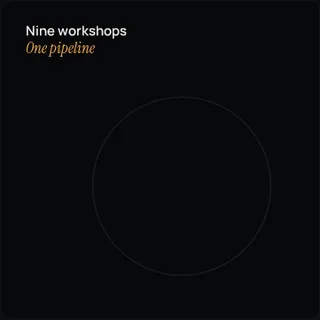
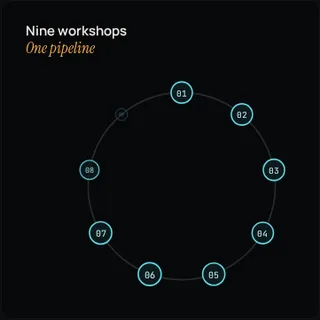
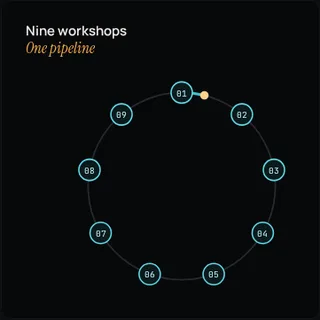
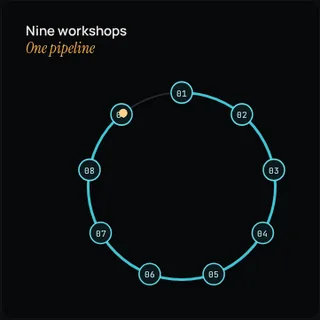
Everything appears at once
GSAP: one timeline + scroll trigger
Sequence: headline → ring → workshops → signal
Keep. Motion explains the process
Build a restrained GSAP motion system for this block.
One timeline: headline → ring → workshops one by one → signal around the loop.
Start when the block is on screen. Respect "reduce motion".
Repository: github.com/greensock/gsap-skills
06Step 5
Motion Design
How motion should feel
GSAP answers “how do I animate this technically”. Motion Design by LottieFiles answers “what character should the motion have”: pace, smoothness, unnecessary bounce, weight.
I haven’t installed this skill yet. I’ll make an honest before/after once I run the same ring animation through it without touching the layout.
Repository: github.com/LottieFiles/motion-design-skill
07Step 6
Genjutsu
Micro-interactions that explain rather than decorate
Genjutsu looks at interactions as a system: hover, click, focus, state change. Before any code it requires a one-sentence intent that I have to approve. I approved it — and here is what appeared in the ring:
- Hover on a number — the number grows slightly, the workshop label brightens, and a thin dotted path appears from the active workshop: you can see where the signal will go.
- Click — the signal doesn’t jump, it travels along the ring to the chosen number, and the description in the centre changes when it arrives.
- Keyboard — a clear focus state on the number, arrow keys ← → switch workshops.
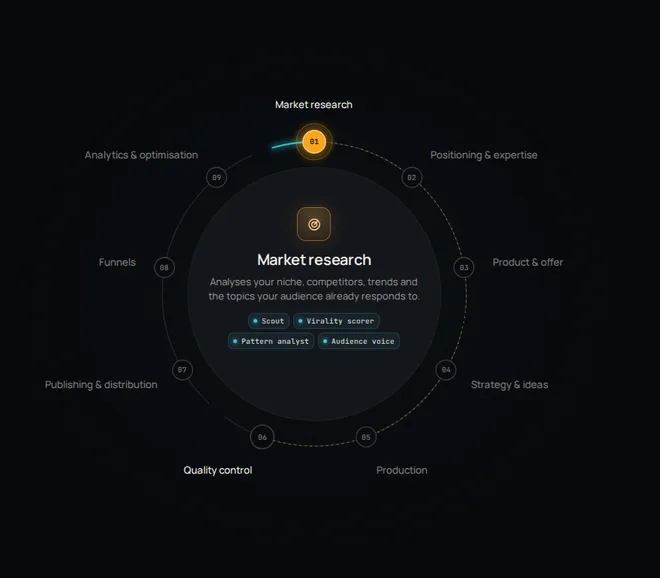
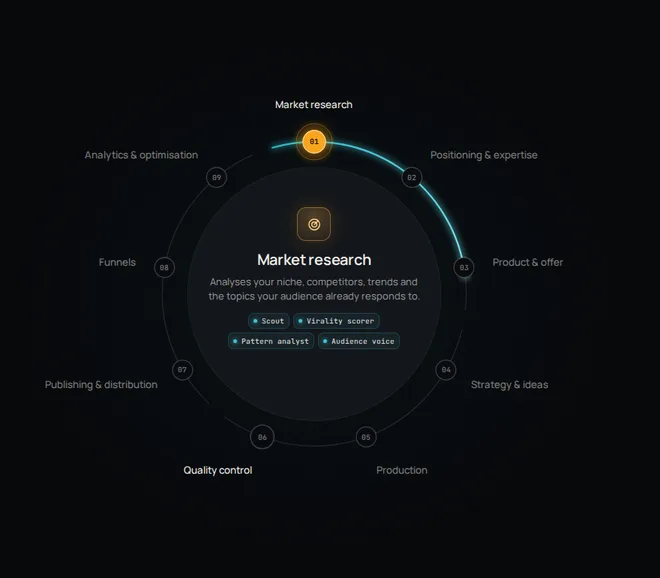
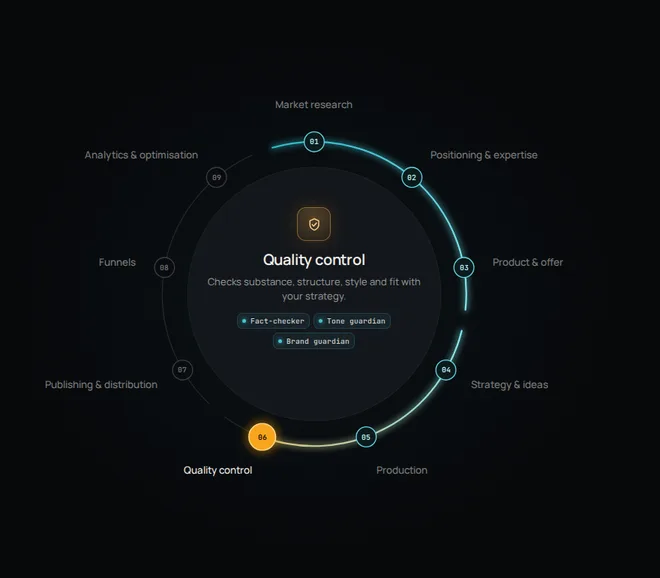
A click switched the workshop instantly, with no hint
Genjutsu: intent → approval → code
The route is visible, the signal moves, works with a keyboard
Keep for the final polish
All on short 150–200 ms transitions and with respect for “reduce motion”. Try it yourself in the live version of the block ↗.
Repository: github.com/AThevon/genjutsu
08How the block evolved
Three versions of one experiment
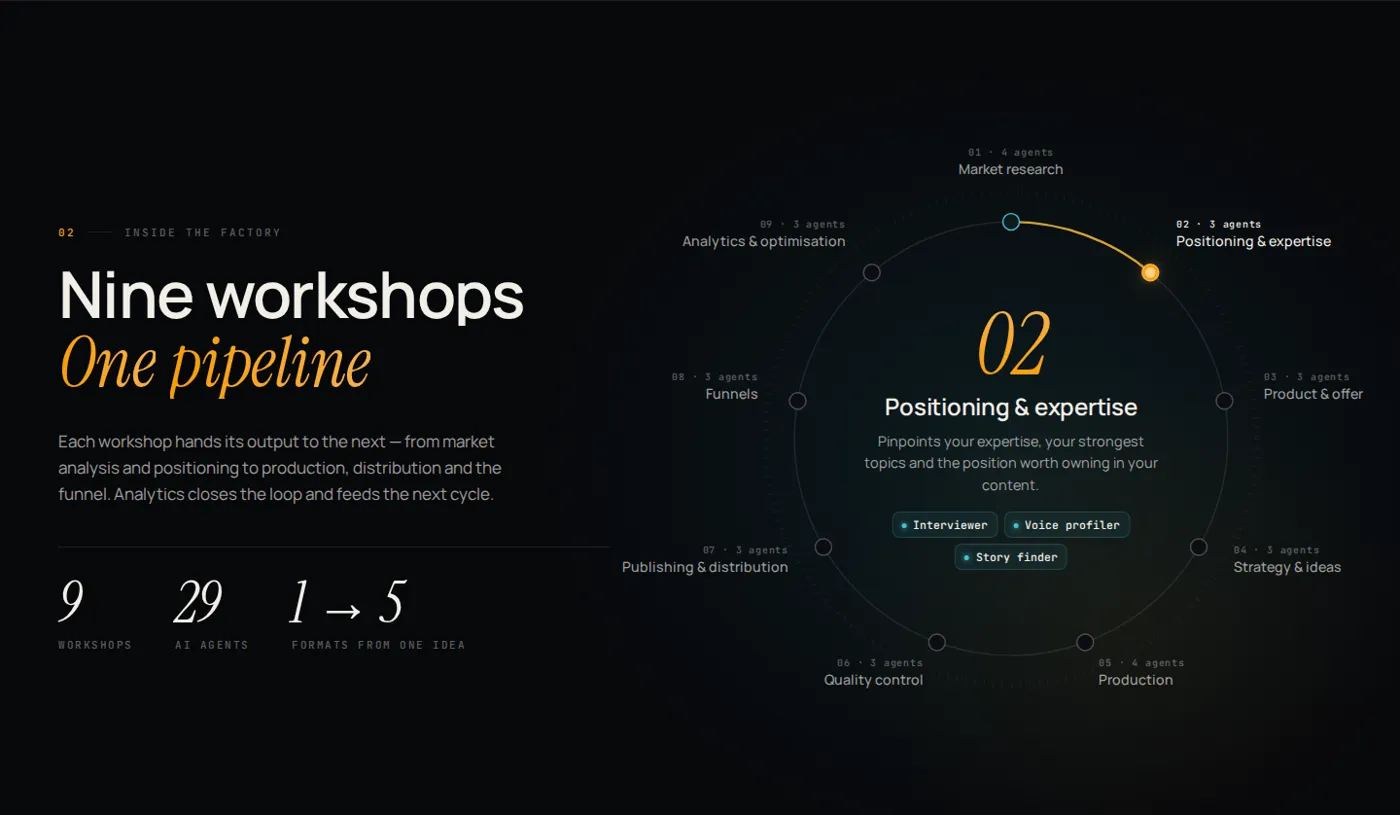
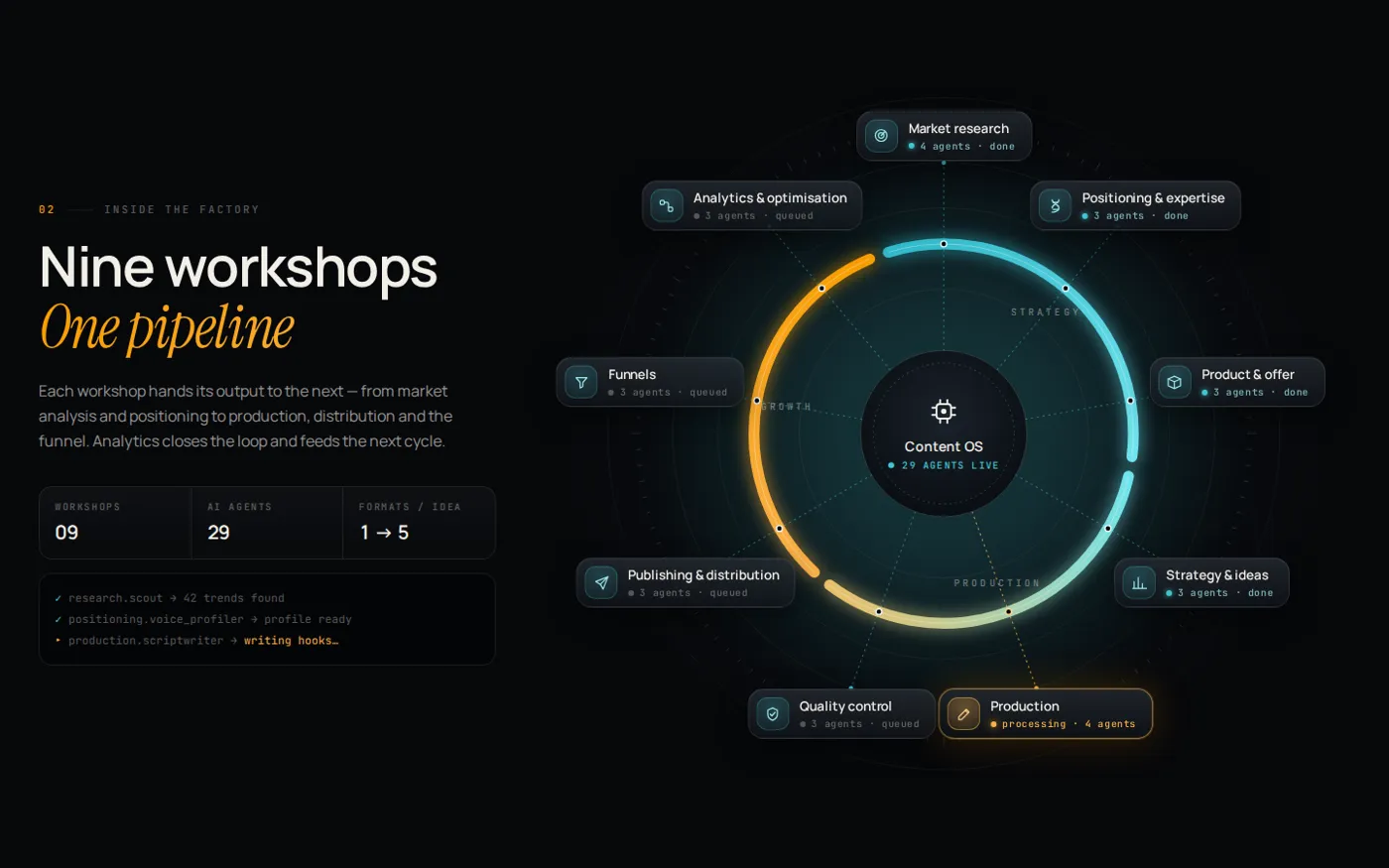
The skills didn’t produce a perfect result on the first try. They helped me understand faster what exactly was wrong. Here is the path:
The site still runs the previous tile block. The ring is an experiment: what this block could look like. I haven’t decided yet whether to move it onto the site.
09Which set to choose
The minimum that actually improves the result
The goal isn’t to assemble the biggest toolset, but to plug in the minimum expertise that makes a specific result better.
10Verdict
My verdict after the experiment
Rules from references, critique before animation, directed motion and precise micro-interactions. The core of my workflow.
Only where space is the idea. For diagrams and cards it’s unnecessary.
The character of motion: pace and smoothness. I’ll add the result once I install the skill.
This is how I now build websites and landing pages for clients. See my work on the Web page.