
01The brief
What I needed — and why not a template
GENTERRA sells three things: marketing strategy, an AI content factory and websites. The site had to explain all three in seconds and prove that I work with AI daily — not just say it.
So every page got its own living character that reacts to scroll: a molecule that turns into a compass on Strategy, a caterpillar that becomes a butterfly on Content Factory, a chrome bee on Web, an eye-spider on Insights. One material connects them all: liquid chrome with amber and turquoise light on black.
02My tool stack
Six tools, each with one job
AI wrote the code; I approved the behaviour and the visual result.
03Step 1 · Claude
Strategy and structure before a single image
I worked with Claude like with a senior colleague: first positioning, offers and the site map, then each page block by block. I approved every block before the next one — and showed options as images before anything changed on the site.
You are my marketing strategist and web designer.
I am [who you are, years of experience]. I sell [service 1, 2, 3]
to [audience]. Goal of the site: [enquiries / job / both].

1. Propose the site map: pages, the goal of each page and
   ONE action a visitor should take there.
2. For the homepage, list the blocks in order — each block
   exactly one screen — with headline, one line of copy, CTA.
3. Suggest one visual concept that connects all pages.
Show me options first. Do not build anything until I approve.
3 rules for working with an AI coding agent
- Show options before changingNothing changes on the site until I have seen it and said yes.
- Never remove approved blocksWhat is approved stays, unless I ask to change it.
- One current version of the siteNo parallel copies — every fix goes into the one live version.
04Step 2 · Reference
One material reference for the whole site
Before any page visual I created one image that defines the material: chrome jellyfish in half-darkness with amber and turquoise glints. It became the reference for every other character — that is why the robot, the bee and the caterpillar look like one family.

05Step 3 · Krea
Key frames: image reference + text
In Krea I attached the jellyfish as a style reference and described only the new subject and its position. Three rules made every frame usable on the site:
- Pure black background — so the character blends into the dark page.
- Subject in the right half — the headline lives on the left.
- Two frames per page — a start frame and an end frame for the video.
Image 1 is the exact reference for material, light and
palette: polished liquid chrome, warm amber lights,
turquoise reflections, pure black background.
Subject: [a mechanical caterpillar / bee / eye on legs],
same material as image 1. Side view, the subject fills the
right half of a 16:9 frame, left half empty and black.
Photorealistic, studio light, ultra sharp, no text.

06Step 4 · Kling
Motion: from the start frame to the end frame
Kling gets both frames and draws the transformation between them. These are the opening lines of the prompts I actually used:
Use the start frame as the exact opening shot and the
eye-compass frame as the exact final transformation…
Static camera. Keep the three jellyfish exactly as in the
image — same design, chrome and glass bells…
A futuristic mechanical bee naturally takes off with 2–3
realistic wing beats, rising slightly…
The first video of the caterpillar turned into a blob halfway. A second generation with a cleaner end frame fixed it.
Judge a video by its middle, not by its ends
07Step 5 · Claude
The visitor plays the video by scrolling
Claude cut each video into frames (90 for the spider, 121 for the butterfly, 246 for the compass), compressed them and wired them to scroll: the first screen stays pinned and every scroll step shows the next frame.
Pages opening mid-scroll or on the last frame. Make "start frame first, top of the page first" a hard rule and test it after every change.
08Step 6 · Quality control
Standards and a frozen baseline
After every change Claude checked desktop, tablet and phone, then compared every page with the last approved version. Anything that changed beyond the request was rolled back before publishing.
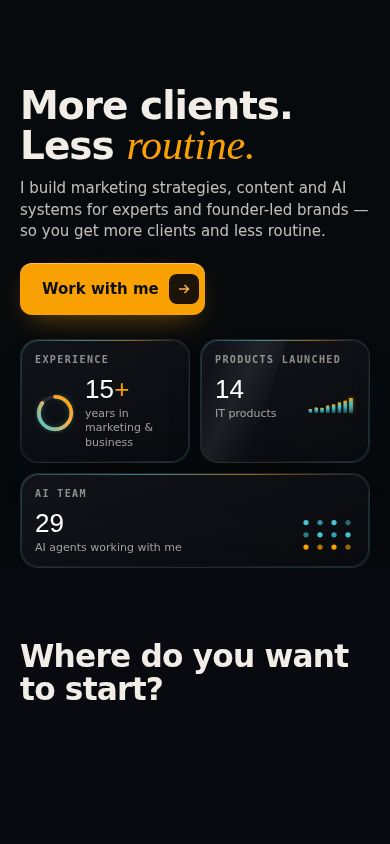
- One heading size across all pages; an amber italic accent only in the hero and where a heading turns.
- One button text in the header on every page: "Work with me".
- Mobile: burger menu, swipeable card rows, nothing hidden under the header.

09Step 7 · The QA stack
The QA stack I would use again
"Looks fine on my laptop" is not a test. Two free tools did the checking for me — one tests how the site behaves, the other how fast and how findable it is.
QA this site with Playwright. Test desktop 1440px,
tablet 768px and mobile 375px. On every page verify:
- page opens at the top and on animation frame 0;
- navigation works;
- mobile menu opens and closes;
- CTA buttons are clickable;
- no horizontal overflow;
- no text is hidden under the header;
- forms can be submitted;
- scroll animations reach the first and last frames;
- switching pages resets scroll and animation state;
- capture screenshots of every failure.
Do not change the code. Return a bug list first.
Before launch I check every page against one minimum:
- No broken links
- Title, meta description and canonical URL
- Open Graph image for link previews
- robots.txt and sitemap.xml
- One H1 per page, alt text on images
- Pages indexable, nothing blocked by accident
- Mobile performance and Core Web Vitals in Lighthouse
100 in PageSpeed Insights on mobile and on desktop — and no change goes live if it makes a page slower than the last approved version.
10Step 8 · Launch
From files to genterra.pro
Images and videos move out of the pages into separate files, the site goes into a GitHub repository, and the hosting publishes every new commit to the domain. Forms send enquiries straight to my Telegram through n8n. Server passwords never leave the person who manages the server.
11Step 9 · Search & SEO
Make the site discoverable
Analytics shows who came. Search Console is how Google finds the site in the first place — set it up on launch day.
12Step 10 · Google Analytics
Measure from day one
A site without analytics is a guess. Google Analytics 4 shows where visitors come from, which pages they read and which buttons they press — so you know which service page and which article actually bring enquiries.
Connect Google Analytics 4 to all pages of my site.
Measurement ID: G-XXXXXXXXXX.
1. Load the tag only after the visitor accepts cookies
   (Consent Mode v2, banner in the site style, Accept / Reject).
2. Track as events: form submit, clicks on “Work with me”,
   “Download as PDF”, and outbound links to LinkedIn and Telegram.
3. Add a “Cookie settings” link in the footer that reopens the banner.
Check that nothing else on the pages changes.
If you operate in the EU, implement consent before enabling analytics cookies and make sure your setup matches your privacy policy and legal requirements. I used Consent Mode v2 with Accept / Reject controls.
Open the site, accept cookies, then look at Reports → Realtime in GA4: your own visit should appear within a minute.
13Step 11 · QA after launch
Test the live site, not the files
The domain, the server and the real network change things. On launch day I repeat the checks on the live address:
- Playwright — the same prompt, now on the live domain.
- PageSpeed Insights — every page, mobile and desktop.
- A real enquiry — send the form yourself and make sure it arrives.
- GA4 Realtime — your own visit and your test events appear.
14Mistakes
What cost me the most time
15Checklist
Before you launch
- One material reference attached to every visual
- Subjects in the right half, pure black background
- Every page opens on its first screen and first frame
- One heading size, one header button, accents used sparingly
- Phone, tablet and desktop checked after every change
- Forms connected, Impressum and privacy policy in the footer
- Google Analytics 4 runs only after cookie consent; test visit visible in Realtime
- Titles, descriptions and preview images for every page
- sitemap.xml and robots.txt live, domain verified in Search Console
- Playwright bug list empty, PageSpeed checked on mobile and desktop